
Q+
Business operations for service shops

Queue, POS and business management for service shops.

Q+ is business operations software for service shops in Oman. It connects the live customer queue, POS sales, payments, VAT, loyalty and the owner view in English, Arabic, Hindi, Urdu and Bengali.

Sell, queue and invoice free. Add modules as you grow.
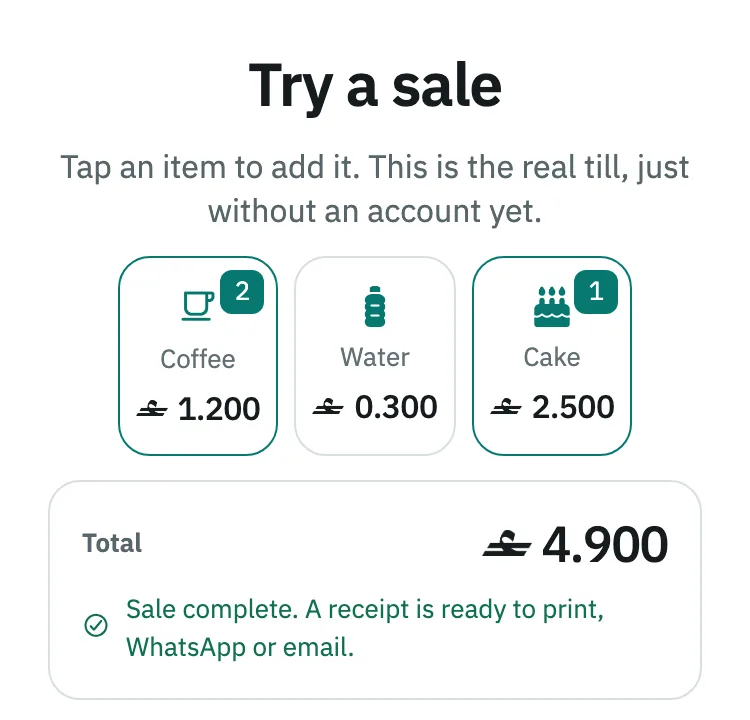
The Q+ till on a phone: two coffees and a cake rung up, total 4.900 rials, and the sale marked complete with a receipt ready to print, send by WhatsApp or email.
Built for
Service businesses
Languages
English, Arabic, Hindi, Urdu and Bengali
Local operations
OMR and Oman VAT

What Q+ does

The counter, the books and the owner view.

Each customer action flows into the operational record behind it. Your team gets a simple front line, while sales, invoices, payments and accounting stay connected.

Live customer queue

Issue a ticket, call the next customer and show the wait.

Quick sale and payments

Choose the item, take cash or card, and keep the invoice, receipt and accounting record together.

VAT and accounting

Q+ applies the tax rate set up for your business, such as Oman VAT, and creates the linked accounting entries for each sale. This reduces manual work at the counter and at month end.

Loyalty

Reward repeat customers with loyalty points.

Live owner view

See sales, costs and orders from your phone, so you can understand the day without waiting for a separate report. The live queue has its own screen.
Features

Part of Paper & Pen ERP

A simple front counter on a full ERP engine.

Q+ runs on the Paper & Pen ERP engine. Every sale becomes an invoice, a payment and accounting entries in the same system. When the business grows, the owner can open the full ERP from Q+.

Pricing

Sell, queue and invoice free.

Invoicing, Point of Sale, the live queue and appointments are free. Add loyalty, accounting or HR when you need them. Prices are per business, per month.

A shorter path to work

Start, serve and stay informed.

Q+ is designed for owners and teams who need the system to fit the working day, not the other way around.

  1. Set up the business

    Create the business account and choose the tools your team needs.
  2. Serve from one flow

    Manage queue tickets, sales, payments and customer updates as the day moves.
  3. Read the day live

    Review the connected operational and accounting records from the owner view.

Designed around real counters

For service businesses that move customer by customer.

Q+ supports the daily flow of salons, cafes and other service shops where queues, orders, payments and repeat visits need to stay connected.

Put the next working day in one place.

Open Q+ registration or contact support if you want help getting the business ready.